
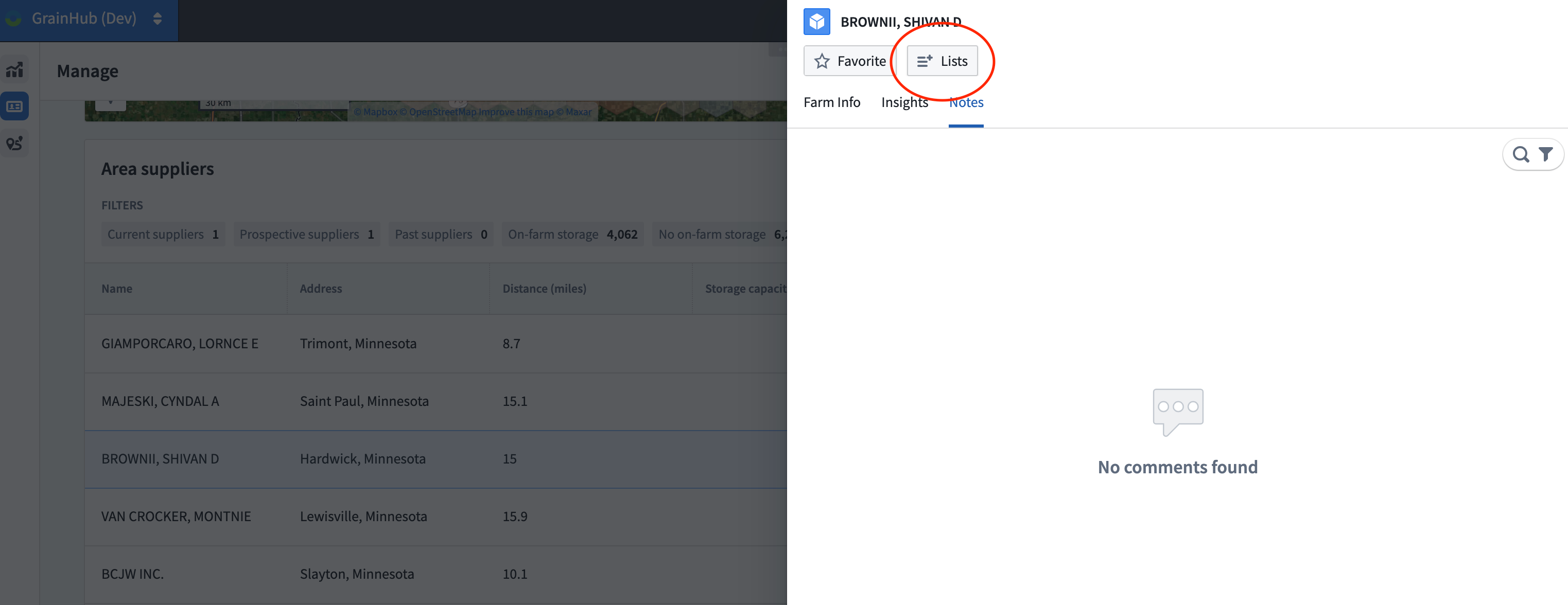
If a given supplier is one that you would consider sourcing grain from, you can add them to your call list. Call lists are an advanced way to manage and filter the suppliers in a given area, allowing you to focus on the best opportunities available. To begin, click the List button at the top left.
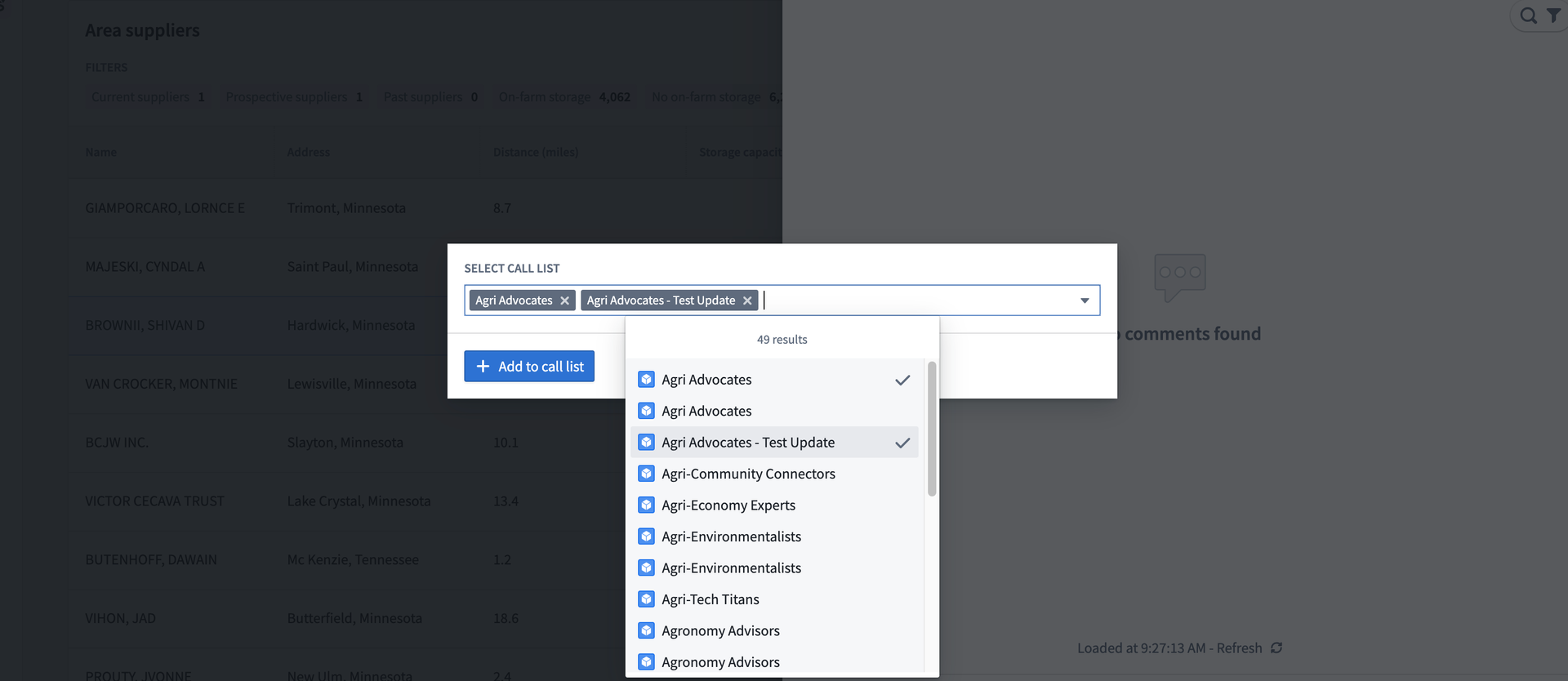
This opens a box that allows you to select the call list in which to add this contact. Once you have selected the correct call list, click the blue +Add to call list button. Please note that contacts can be added to multiple call lists by selecting each applicable call list from the drop down.
Once your call list choices are saved, confirm your action in the following pop-up and click the green Submit button to add this contact to the given call list(s).

Having completed these steps, you are now on your way to optimizing your grain opportunities. From here you can create additional draw areas, enter estimates, update your supplier call lists, and so much more!